
How to sell on Avito: a listing people find and buy
The short version: on Avito — Russia’s largest classifieds site, its answer to OLX or Craigslist — what sells is not the listing but three seconds in the feed. A buyer sees the first photo, the title and the price, and decides whether to open it. Then the description answers their questions, and a quick reply in messages closes the deal. Below is a check of your listing across those three stages, and a chapter with a tool for each one.
Check your listing in a minute
Tick what is already done. The questions follow the order in which a buyer meets a listing.
Card in the feed
Listing page
The deal
Listing readiness
0%
Start with these
- 1.Clear the clutter from the frame and put the clean shot first
- 2.Rewrite the title with the main search term first
- 3.Compare your price with the listings next to yours — five minutes
Item weights are an editorial estimate based on the order in which a buyer sees a listing, not Avito data.
How a buyer meets your listing
These are three filters in a row, and each one fails for its own reason. The listing may not be shown — then the problem is the words and the category. It may be shown but not opened — then the photo, title or price is losing. It may be opened but nobody writes — then the description is not answering questions. If you already have stats for your listing, you can tell which of the three is yours in a minute in the chapter why an Avito listing gets no views.
Step 1. Photo: the item large, nothing else in the frame
The first photo is what sells in the feed. Shoot in daylight, against a calm background, with the item in the centre. The main trap is technical: Avito shows a landscape 4:3 frame, a phone shoots vertically out of habit, and the site silently cuts off the top and bottom — often along with part of the item. The second most common problem is clutter around it: mugs, cables, a rug.
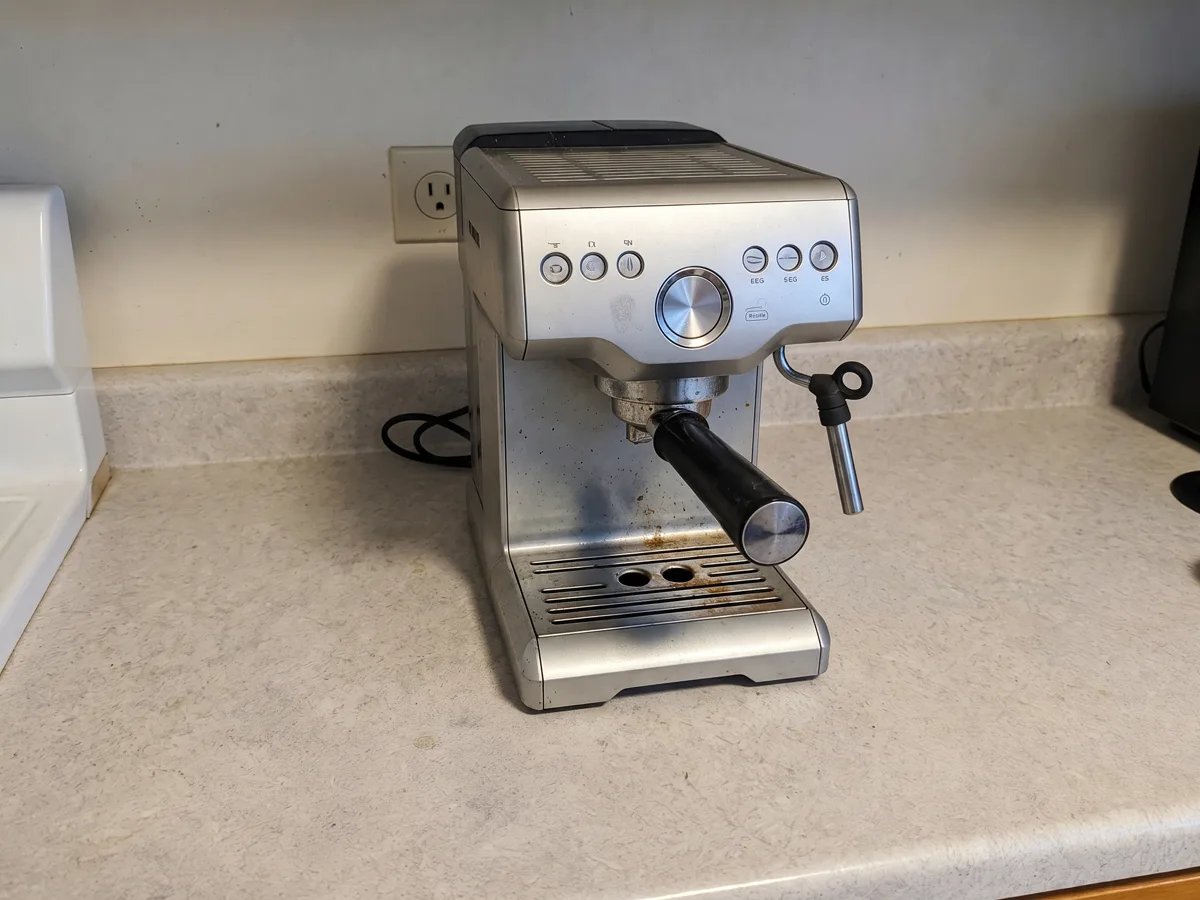
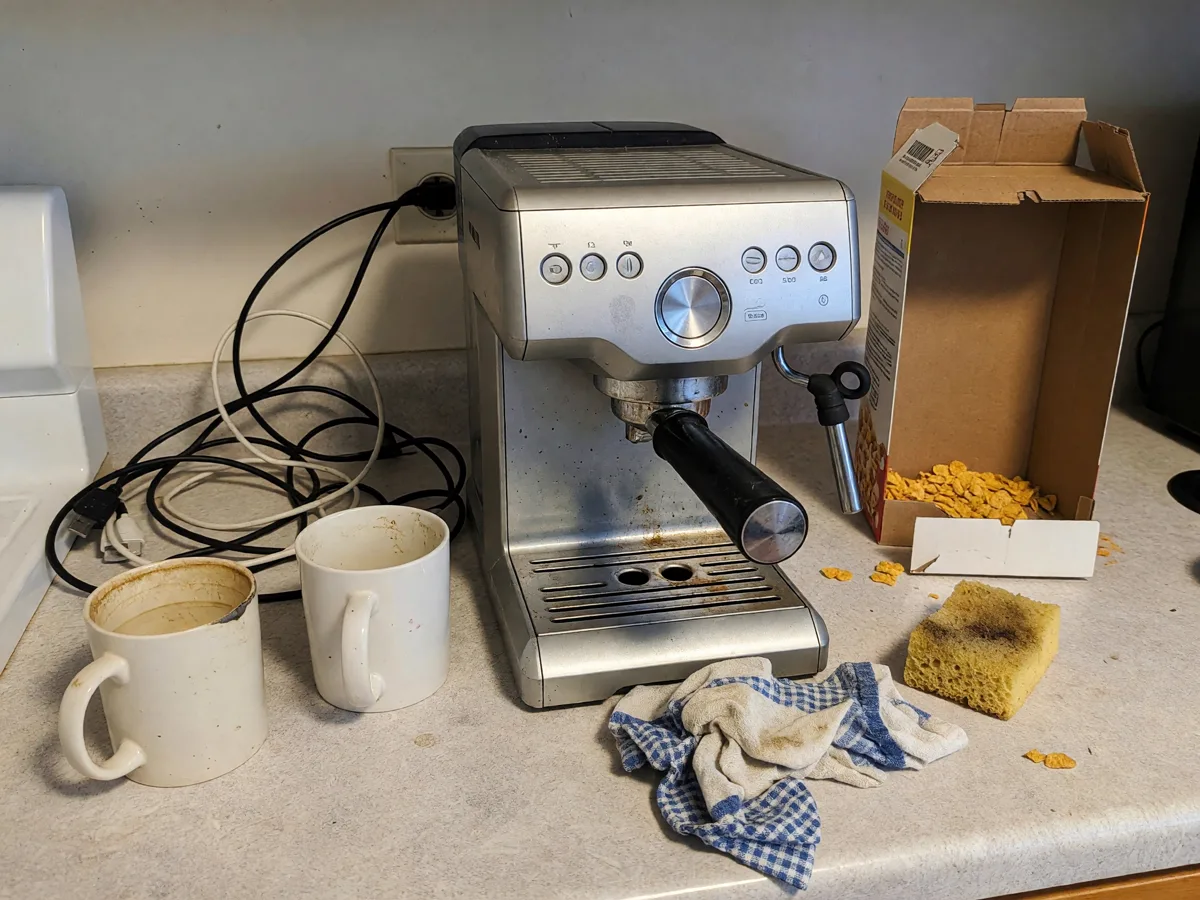
A real example: a phone shot, and the same shot after the instruction “clear everything off the counter except the espresso machine”. The scratches and marks on the machine stayed — exactly as they should.
Sizes, formats, a free way to fit a vertical shot into 4:3, and which photos different categories need are in the chapter photos for Avito.
Step 2. Title: the words people search with
Avito finds a listing by the words in its title. Nobody searches for “Selling urgently!!!”, but people do search for “DeLonghi Dedica espresso machine”. The formula is simple: what it is + brand or model + the main spec. There are few characters, so every word should be one people type into search — and since Avito buyers search in Russian, the title is written in Russian. A title checker with a feed preview is in the chapter Avito listing title.
Step 3. Price: compare with the listings next to yours
Search for your item in your city and look at the five closest listings in the same condition. If your price is noticeably higher, explain why in the description (complete set, warranty, nearly new). If it is noticeably lower, buyers will suspect a catch — that is worth one sentence of explanation too.
Step 4. Description: answer questions before they are asked
A good description saves messages. It covers six things: what it is, its condition, its flaws, what is included, why you are selling and how to get it. An honestly named defect raises trust in the rest of the text and saves wasted trips. A builder that turns those six answers into a description is in the chapter Avito description.
Contacts go only in their own fields
Step 5. Replies: fast and to the point
Buyers often write to several sellers at once and deal with whoever answers first. Prepare answers to the three most common questions — haggling, delivery, condition — and keep notifications on. Avito Delivery widens your pool of buyers to other cities.
Try it right here
“Avito Seller” is an agent for sellers: it cleans up product photos, writes titles and descriptions in Russian and checks demand on Wordstat. It explains everything in English. Attach a shot or describe what you are selling.
If that is not enough: services and many listings
Tradespeople, tutors and crews live on Avito for years, and a single listing brings them work every week. Those listings have their own rules — price list, portfolio, area — covered in the chapter service listings on Avito. Which of these jobs to give an AI, and which are better done with Avito’s own built-in helper, is in the chapter AI for Avito.
If you also sell on marketplaces, the neighbouring guide will help — product cards for marketplaces: Wildberries and Ozon use a vertical frame, so they need a separate file.
Frequently asked questions
How do I sell on Avito fast?
How do I sell things on Avito as a private person?
How many photos should a listing have?
Why is my Avito listing not selling?
Can I use AI for Avito listings?
You can make the photo, title and description for a listing in one Twelver chat: attach a shot of the item and say what you are selling. Starter tokens arrive on your first visit, and signing up adds more.
Contents
- 1.Photos for Avito: size, format and how to shoot so people click
- 2.Avito description: how to write listing text, with examples
- 3.Avito listing title: how many characters and which words
- 4.No views on Avito: why, and how to lift a listing
- 5.AI for Avito: listing photos, descriptions and titles
- 6.Service listings on Avito: how to write one, examples for pros
Try it yourself
Everything in this guide runs inside Twelver
One chat for text, images, video, music and voice — no separate services or subscriptions.
Open Twelver chat