
Photos for Avito: size, format and how to shoot so people click
The short answer: 1600×1200 pixels, 4:3 landscape, in JPG, JPEG, PNG, GIF, up to 25 MB. The key word in that line is “landscape”: a phone shoots vertically, and Avito trims the top and bottom of the frame without any warning. Check your photo below and get a fixed file straight away.
How Avito will crop your photo — and how to fix it
Upload a shot: on the left is what stays in a landscape 4:3 frame, on the right the same photo fitted into 1600×1200 with nothing lost. The file is processed in your browser and never sent anywhere.
A sample is loaded for now: a child’s bike shot vertically, the way almost everyone shoots.
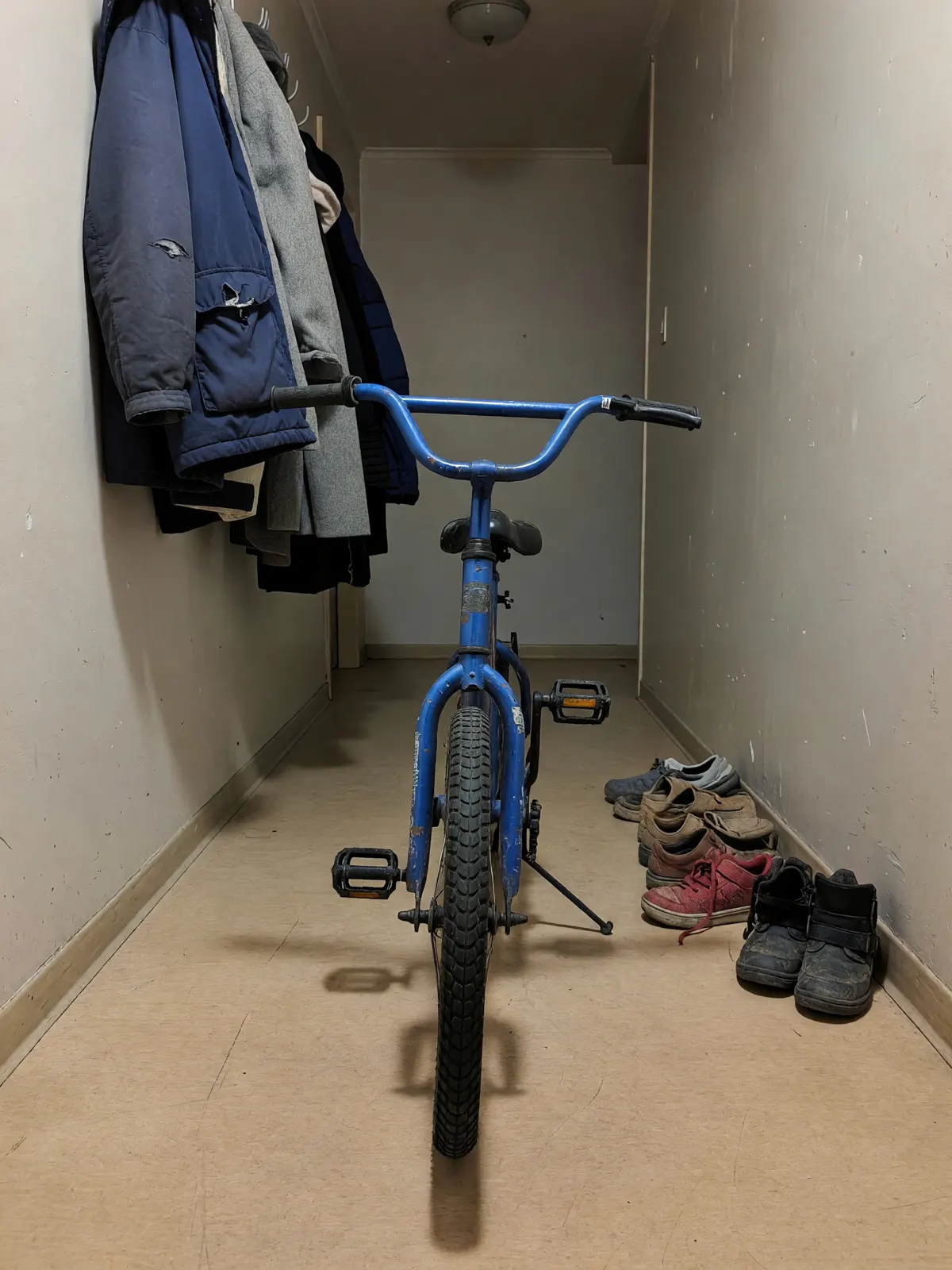
Blurred edges are the free and honest way: nothing is made up. If you want the frame to look shot in landscape, the AI continues the hallway or the table at the sides — an example of what it returns is below.
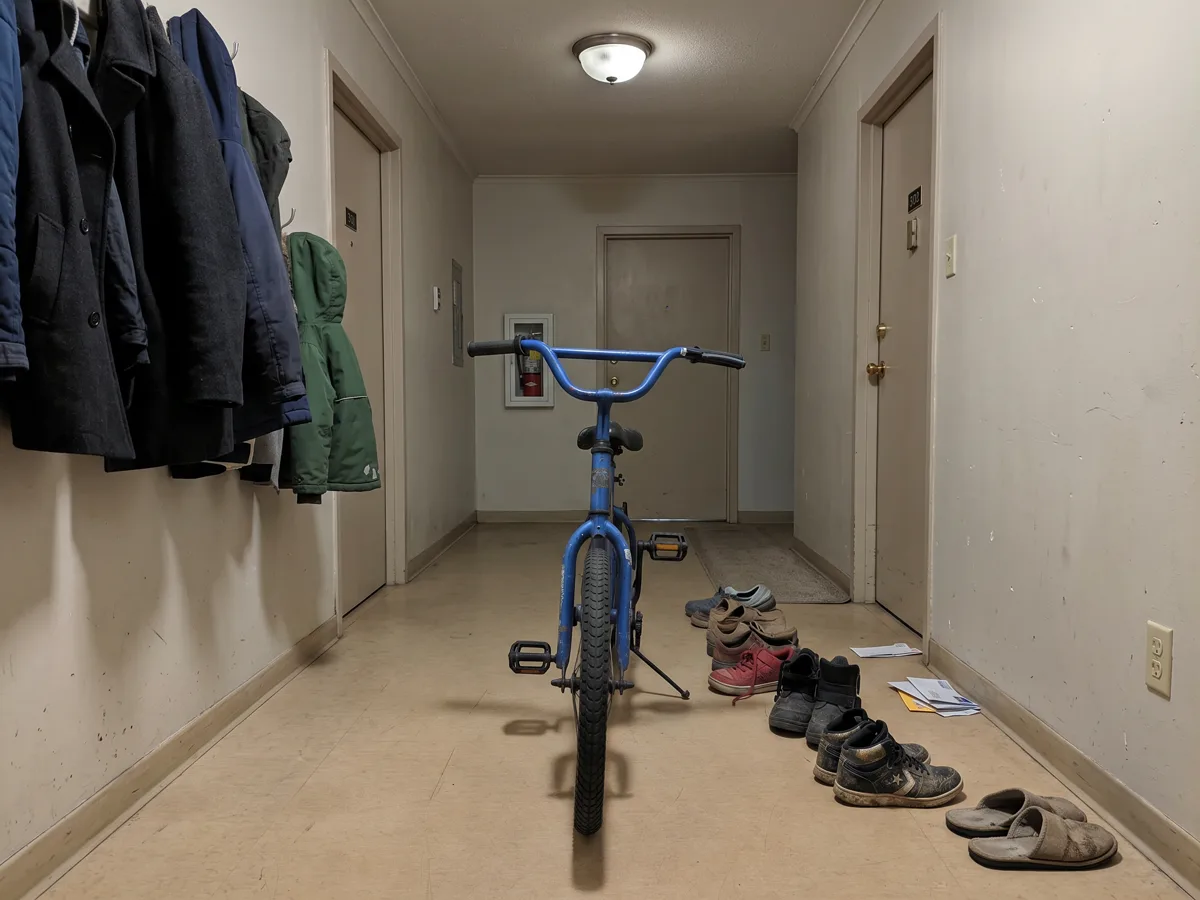
Photo size and format for Avito
| Parameter | Value | What it means in practice |
|---|---|---|
| Proportions | 4:3, landscape | Hold the phone horizontally — or fit the frame with the widget above |
| Size | 1600×1200 px | Smaller works, but the photo turns soft when zoomed |
| Formats | JPG, JPEG, PNG, GIF | Save iPhone HEIC photos as JPG before uploading |
| File size | up to 25 MB | An ordinary phone photo fits with room to spare |
| Number | up to 20 photos, fewer in some categories | Put the cleanest frame first — only it shows in the feed |
| Background | no requirement, but light and plain reads best | A plain wall, a table or a sheet beats any interior |
The numbers were checked against seller guides in September 2026. The platform’s rules change — if the upload form complains, trust the form.
Margins around the item
Which photos a listing needs
A set of shots answers the questions that would otherwise arrive as messages. For most items this order is enough:
- Overall view — the whole item, large, on a calm background. This is the photo for the feed.
- Two or three angles — side, back, top, if the shape matters.
- Details — fabric texture, screen, ports, fittings.
- Label, model or serial number — answers “is it genuine?”.
- Defects close up — a scratch, a scuff, a stain. A defect you showed is not a reason to haggle on the spot; a hidden one is a reason to walk away.
- In use, or for scale — clothing on a person, furniture in a room, a familiar object next to it.
How to photograph an item for Avito on a phone
- Light — from a window, in daytime. Stand with your back or side to the window and switch the flash off: it gives glare and flat colour.
- Background — plain. A white wall, a light table, a sheet of paper. A rug or a sofa competes with the item for attention.
- Phone — horizontal, level with the item, not from above at an angle.
- Wipe the lens. A hazy phone photo is almost always a fingerprint on the camera glass.
- Clear everything else out of the frame before you shoot. If that did not work, clear it afterwards, as in the example below.
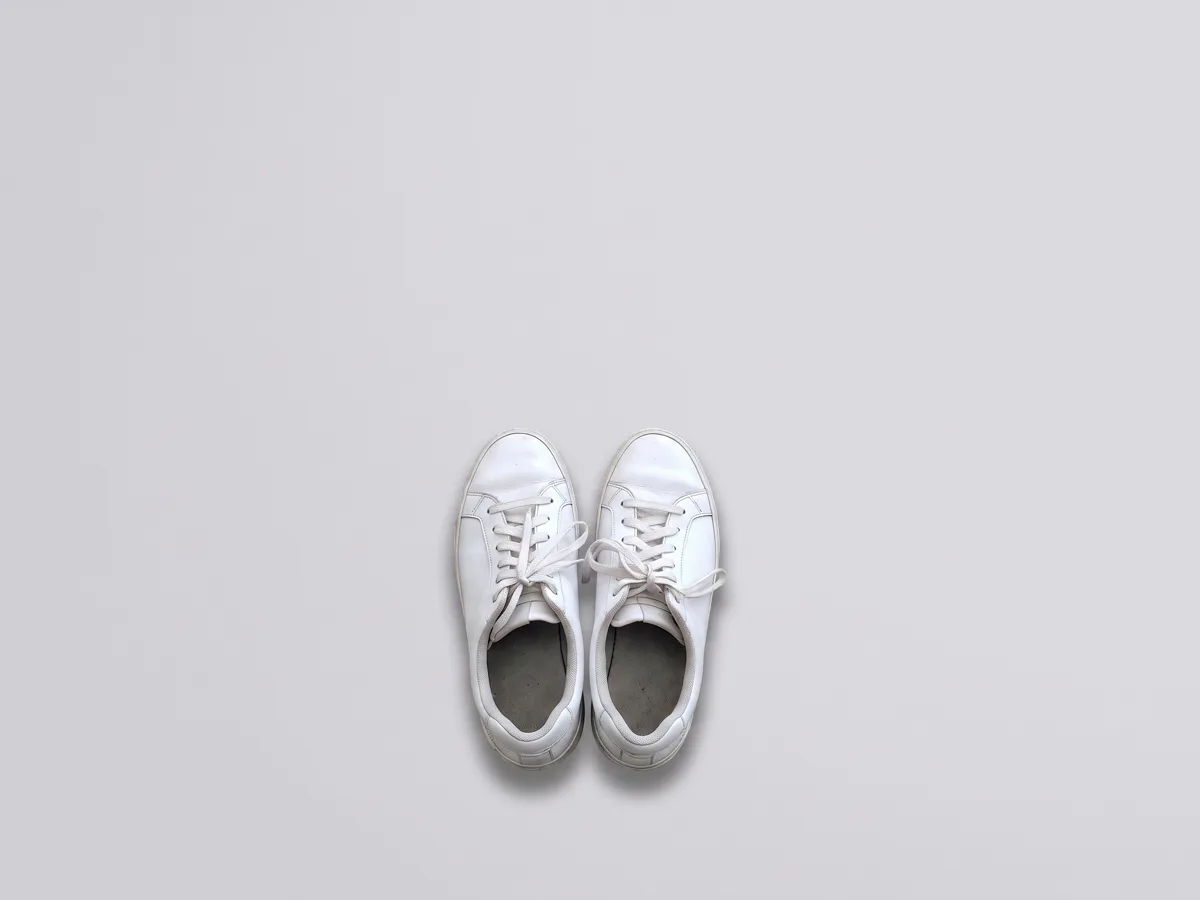
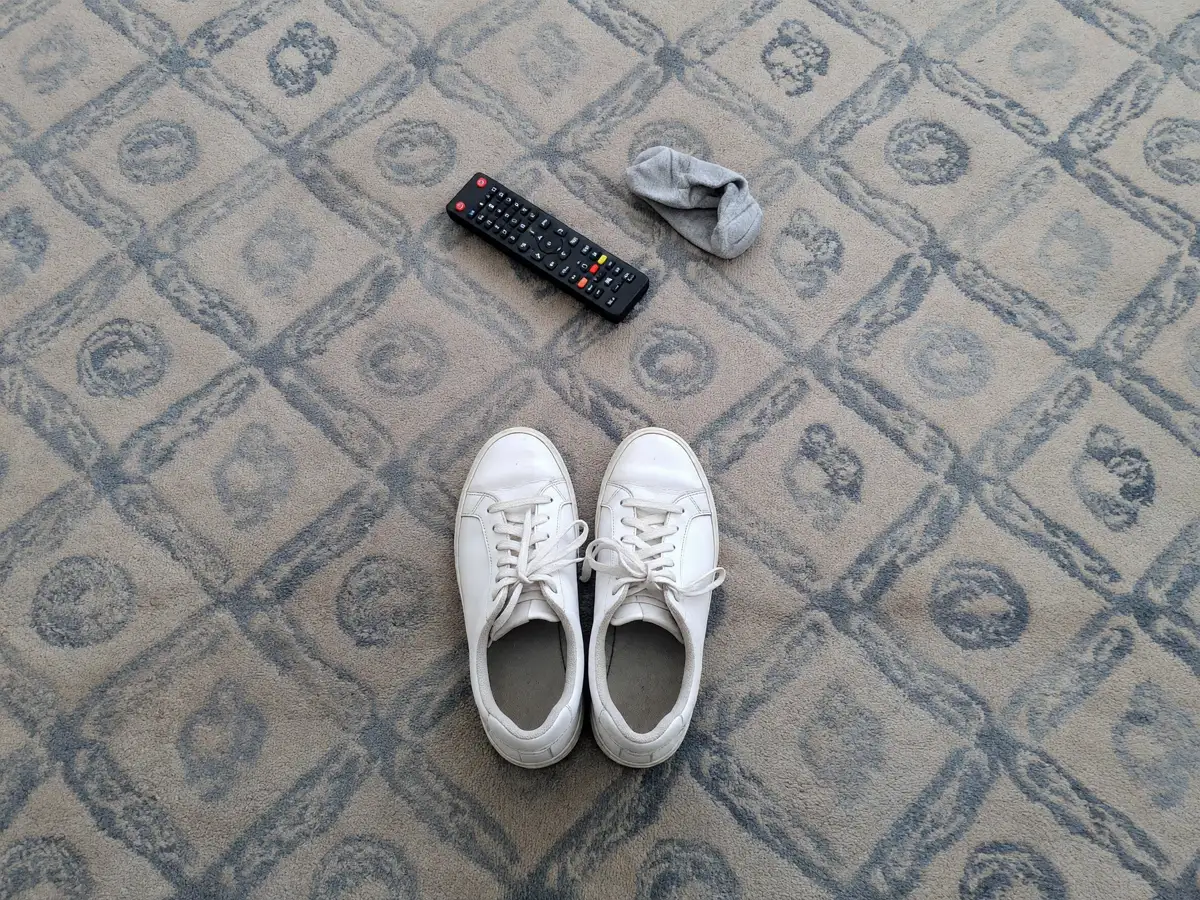
Instruction: “remove the remote and the sock, replace the rug with a plain light background, do not change the trainers”. The scuffs and creases in the leather stayed where they were.
What you cannot put in a photo
- Contacts — a phone number, a website, an email, a messenger handle. The listing has its own fields for them.
- Someone else’s photos — pictures from the internet or shop websites instead of your own item.
- Other people’s watermarks. Your own company logo is fine if it takes up no more than 10% of the frame.
AI cleans the photo; it does not replace the item
Do the same with your own shot
Attach a photo and say what to remove or how to extend the frame. The agent works with your shot and does not redraw the item itself; if you need the item on a transparent background — say, for your own shop — ask it to cut the item out.
What next
The photo gets the listing opened; the title decides whether it is found — how to write an Avito title. If the card is shown but not opened, check the funnel in the chapter no views on Avito. How to prepare photos for Wildberries and Ozon, where the frame is vertical, is in cards for Wildberries and Ozon; sharpening and relighting an old shot is in the book on photo enhancement. Every step of a sale — how to sell on Avito.
Frequently asked questions
What photo size does Avito need?
Which format for Avito photos — vertical or horizontal?
How many photos can I add on Avito?
Can I edit Avito photos with AI?
Why do my Avito photos come out blurry?
You can remove clutter from a photo, even out the background and extend the frame to landscape in the Twelver chat: attach a shot and say in words what to do. Starter tokens arrive on your first visit, and signing up adds more.
Try it yourself
Everything in this guide runs inside Twelver
One chat for text, images, video, music and voice — no separate services or subscriptions.
Open Twelver chat