
AI for Avito: listing photos, descriptions and titles
An AI saves an Avito seller three things: time on photos, time on text, and back-and-forth with buyers. But the jobs differ, and for one of them the best tool is already built into Avito itself. Pick what you want to speed up and we will show you what to use.
What to give an AI — and which one
Pick a task and we will show the best tool for it, even when it is not us.
Best tool
Twelver — photo editing in words
Write "remove the mugs and cables from the table" and the item stays the same shot; only the clutter around it disappears. It is an edit of the real photo, not a new picture.
Open a chat with this taskWhat Avito already does on its own
Since summer 2026 the Avito app has a tool called «Разберём гардероб» (“Let’s sort your wardrobe”): it looks at a photo of clothing, works out the item, brand, colour, size and condition, and suggests a title, description and price. It is free, works right in the My listings section and is designed for private sellers. If you are selling clothes one item at a time, start there.
What the built-in helper does not do: clean clutter out of photos, make a frame landscape, handle services, car parts and furniture in the same detail, or write dozens of listings in one style. That is where a separate AI comes in.
Photos: remove the clutter, leave the item alone
The most useful feature for a seller is editing a photo in words. You write “remove the mugs, cables and box, do not change the espresso machine” and get the same shot without the mess. The item stays real, with the same scratches and reflections.
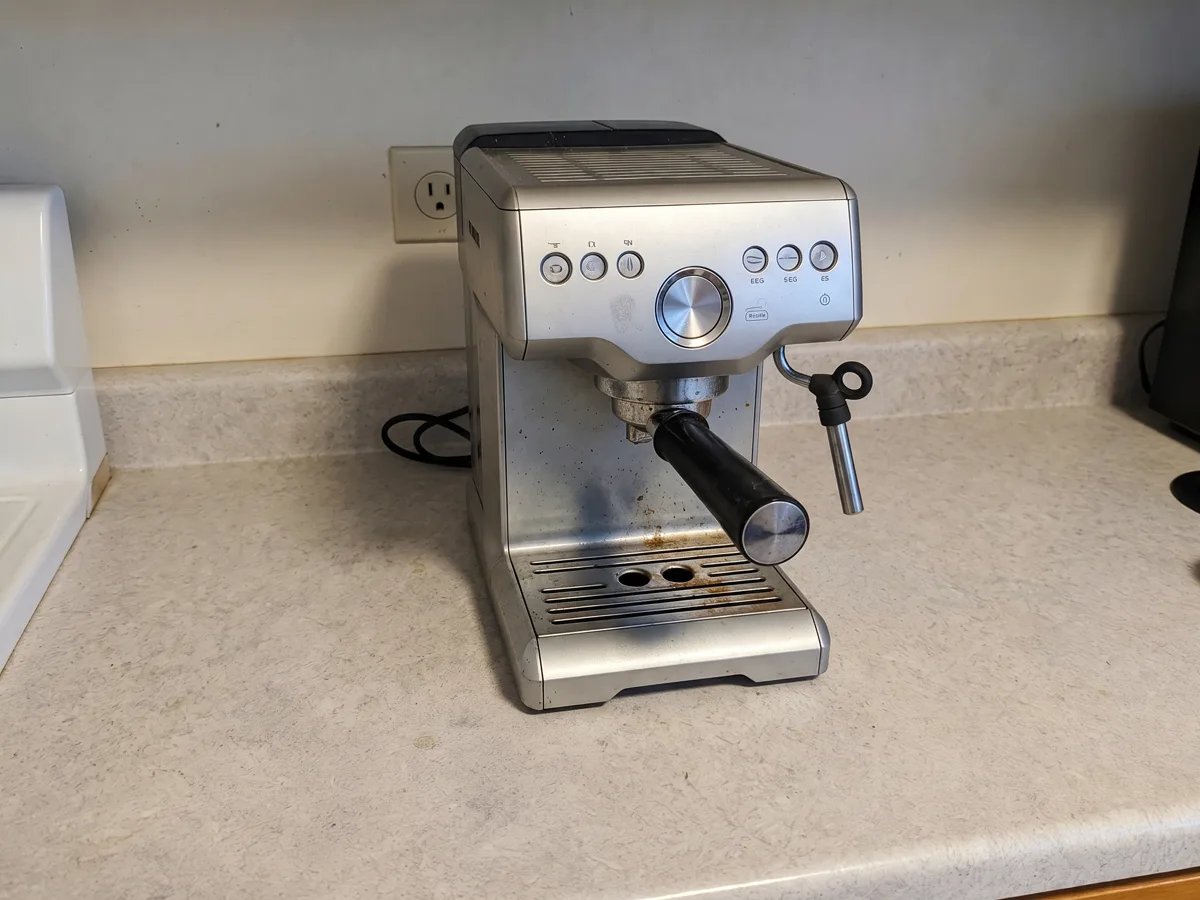
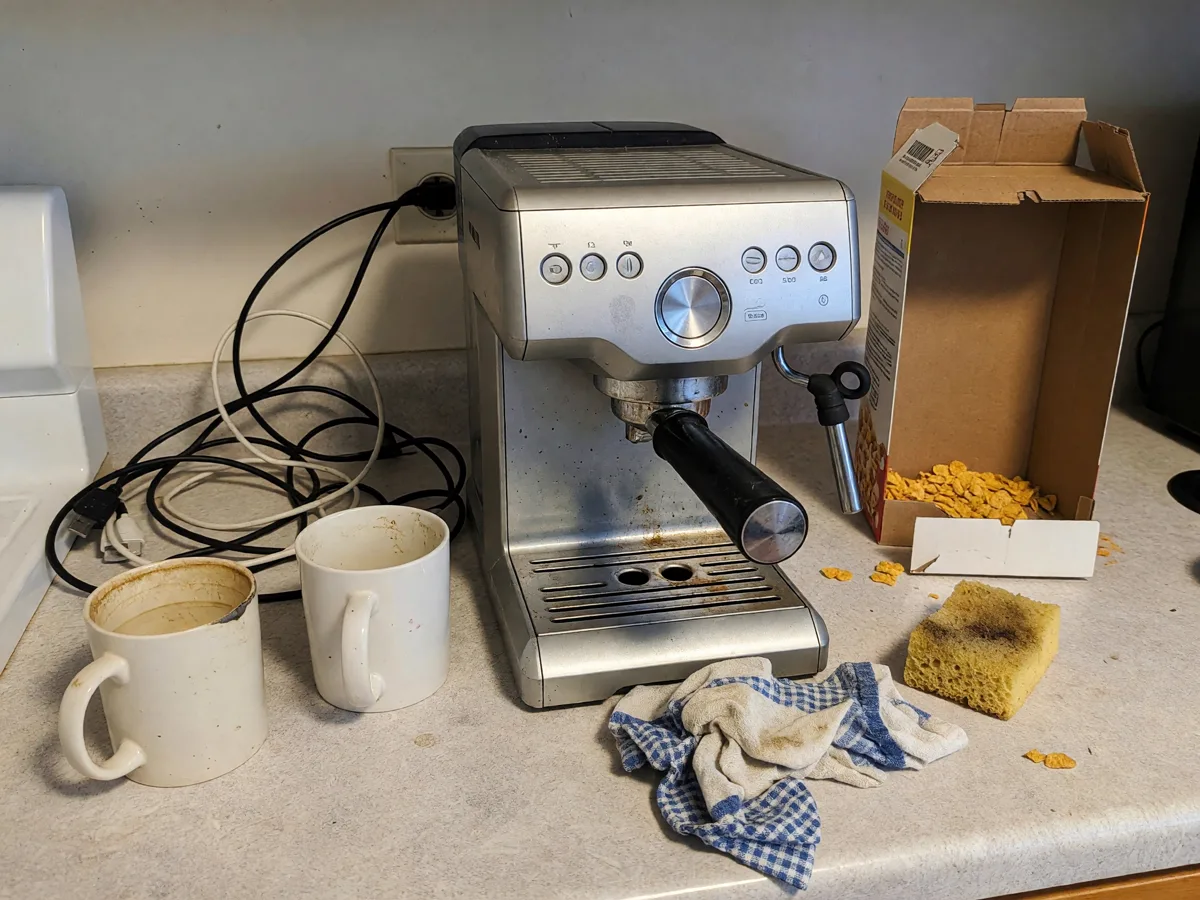
Two more common jobs are a plain background instead of a rug and a landscape frame from a vertical one. Both, with examples and a free method that needs no AI, are in the chapter photos for Avito.
Where the line is
Text: descriptions and titles
An AI writes good Avito text on one condition — you give it facts. “Write a description of a bike” produces filler; “Stels 20" bike, 2 years old, scratches on the frame, new brakes, no rear rack” produces a ready listing. The six questions a description should answer, and a builder, are in the chapter Avito description. Ask for the text in Russian: that is the language Avito buyers search and read in, and the AI will explain its choices in English.
With titles something else helps more: ask the AI to first check Wordstat for how the item is searched in your city, and only then write the 50 characters. A title checker is in the chapter Avito listing title.
Try it: photos, text and demand in one chat
“Avito Seller” is an agent for sellers: it edits product photos, cuts the item out onto a transparent background, writes titles and descriptions and checks search volume.
For those with many listings
Resellers, small shops and Avito specialists need a flow, not a single text: twenty items in one style, descriptions with the same structure, titles for different cities. This is where an AI saves the most — one task instead of twenty. For tradespeople and crews who get their work from Avito, there is a separate chapter: service listings on Avito.
Everything about selling, from the first photo to the deal — how to sell on Avito. Cards with infographics for Wildberries and Ozon — product card infographics.
Frequently asked questions
Which AI works for Avito?
Can I edit Avito photos with AI?
Can an AI write an Avito listing?
Does Avito have a built-in AI?
Is AI for listings free to use?
Photos, titles and descriptions for your listings in one Twelver chat. Starter tokens arrive on your first visit, and signing up adds more.
Try it yourself
Everything in this guide runs inside Twelver
One chat for text, images, video, music and voice — no separate services or subscriptions.
Open Twelver chat