Remove a watermark from a photo online with AI — without blur
Your phone stamped its model name in the corner, your archive holds older product photos with an outdated shop logo, or a collage app placed a badge on your own export. To remove a watermark from a photo online with AI without a blurry smudge, you do not need a brush tool: upload the image to chat and describe where the mark sits.
How does AI remove a watermark from a photo without blur?
Attach your photo in an AI image-editing chat and name the mark and its exact corner — for example, "remove the semi-transparent camera stamp in the bottom-left corner, change nothing else". Instead of smearing pixels with blur, the model reconstructs the sky, wall, fabric or table beneath the mark and returns a clean image up to 4K.
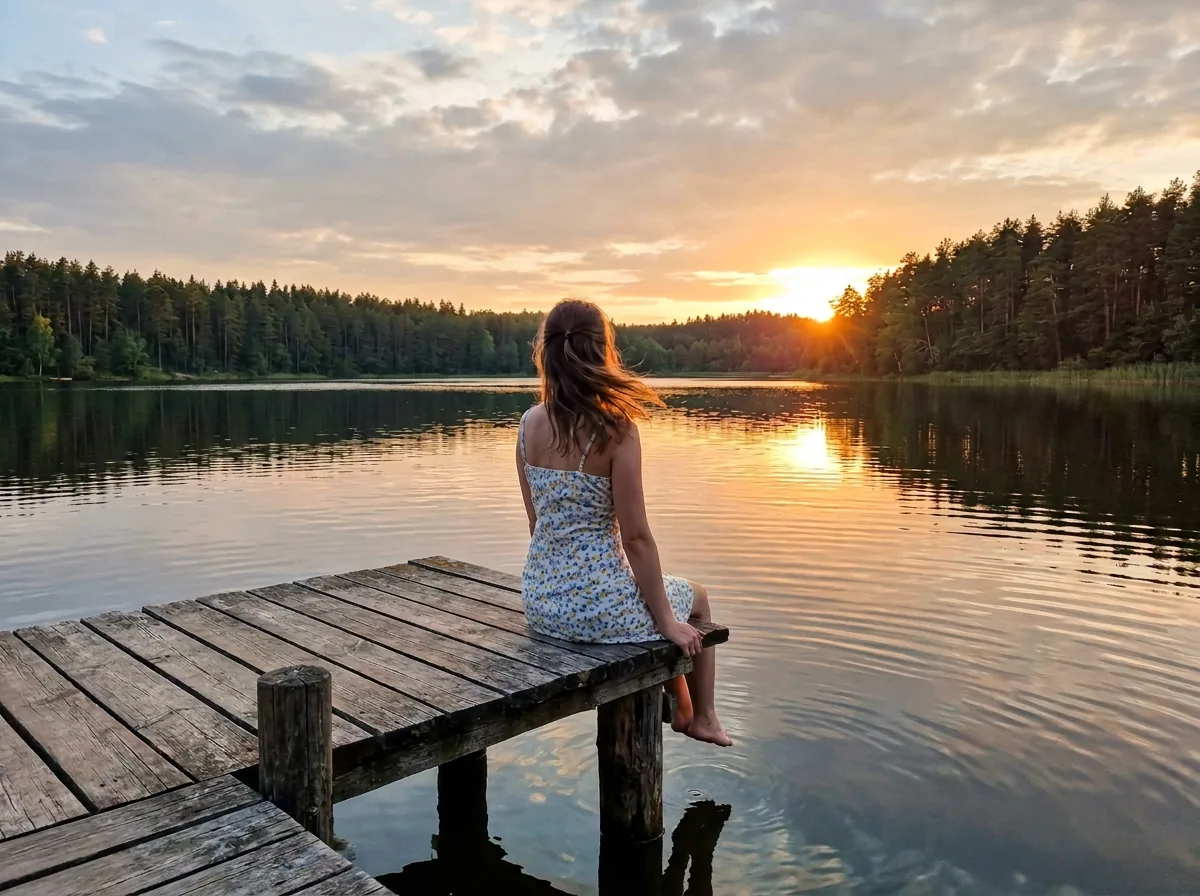

One request to Nano Banana 2 removing a corner stamp and overlaid text layer: the sky and water rebuilt without blur while the subject and lighting stayed put. The source photo is AI-generated; no real person is shown.
Which watermarks clean up cleanly — and where to double-check
How clean the edit comes out depends less on how bright the mark is and more on what sits directly behind it:
| Mark on your photo | Difficulty | How to phrase the request |
|---|---|---|
| Phone camera stamp or date in the corner | Easy | Name the corner and colour: "remove the white camera stamp in the bottom-left corner" |
| Semi-transparent logo over a plain background | Easy | Name the background: "rebuild the smooth wall / sky underneath" |
| Old logo over fabric or packaging | Medium | Add "keep the fabric folds, pattern and product shape unchanged" |
| Repeating grid across the whole frame | Hard | Clean in two passes: clear the overlay first, then inspect fine details |
| Mark touching a face or eyes | Hard | Compare against the original closely: small facial details can shift slightly |
Step-by-step: removing a watermark from your photo online
- Open the chat with Nano Banana 2. It works in your desktop or mobile browser with no software to install; initial 1K edits (around 67k tokens) fit inside the starter tokens credited on your first visit.
- Upload the original photo. Send the source file rather than a compressed screenshot to avoid extra artefacts around fine edges.
- Describe the mark specifically. Give its shape, colour, transparency and corner: "semi-transparent grey logo in the bottom-right corner" beats a vague "clean up this photo".
- Lock the rest of the frame. Adding "do not change the face, product or colours" keeps the model from making unwanted edits.
- Ask for 2K or 4K when needed. If the photo is going to print or a storefront, request higher resolution directly — Nano Banana 2 supports output up to 4K.
Upload your photo below or open the chat with a prefilled request draft:
Ready prompts for your own photos and drafts
Click Try it to open the chat with a prefilled draft, then attach your photo.
2 prompts
Smartphone model watermark
Remove the smartphone camera stamp in the bottom-left corner of the photo. Rebuild the background cleanly without blur and leave everything else unchanged.
Camera date and time
Remove the orange date and timestamp in the bottom-right corner and restore the texture underneath. Keep colours, sharpness and framing unchanged.
3 prompts
Your old shop logo
Remove the old semi-transparent logo in the top-right corner of this product photo. Restore the plain background underneath and do not change the product shape or colour.
Free collage app badge
Remove the small editor badge in the bottom corner of this collage and continue the surrounding background. Keep every photo and face unchanged.
Your own DRAFT mark
Remove the semi-transparent DRAFT text across the centre and rebuild the background details beneath the letters. Keep faces and small objects true to the original.
Only for your own photos
Remove watermarks only from images you own or have permission to edit: phone camera stamps, date marks, your own older brand logos or a free editor’s badge on your own collage. Removing a stock agency’s or photographer’s watermark to use an image without buying a licence infringes copyright — buy the licence or generate a fresh original image instead.
What to read next
If you need to erase or replace ordinary captions and price tags, see how to remove text from a photo. To remove unwanted objects or bystanders, read remove an object from a photo. After cleaning an older archive shot, sharpen it with enhance a photo with AI. For video clips, see remove text from video. Full guide: AI image generation.
Frequently asked questions
How do I remove a watermark from a photo online with AI?
Does AI leave a blurry spot where the watermark used to be?
Does removing a stamp reduce photo quality?
Can I remove a camera watermark from a photo on my phone?
Can I remove watermarks from stock photos?
In the Twelver chat, Nano Banana 2 removes camera stamps, dates and old marks from your own photos from a single sentence — without blur, up to 4K.
Try it yourself
Everything in this guide runs inside Twelver
One chat for text, images, video, music and voice — no separate services or subscriptions.
Open Twelver chat