How to remove text from a photo online without blur
A camera date stamp, a caption over the picture, a print on a T-shirt or a price sticker: AI removes it in one request. You say which text to remove and the model paints in the background under it, with no blurry patch.
Short answer
Upload the photo to an image AI chat, write which text to remove and where (“remove the orange date in the bottom-right corner”), add “change nothing else” and download the result.
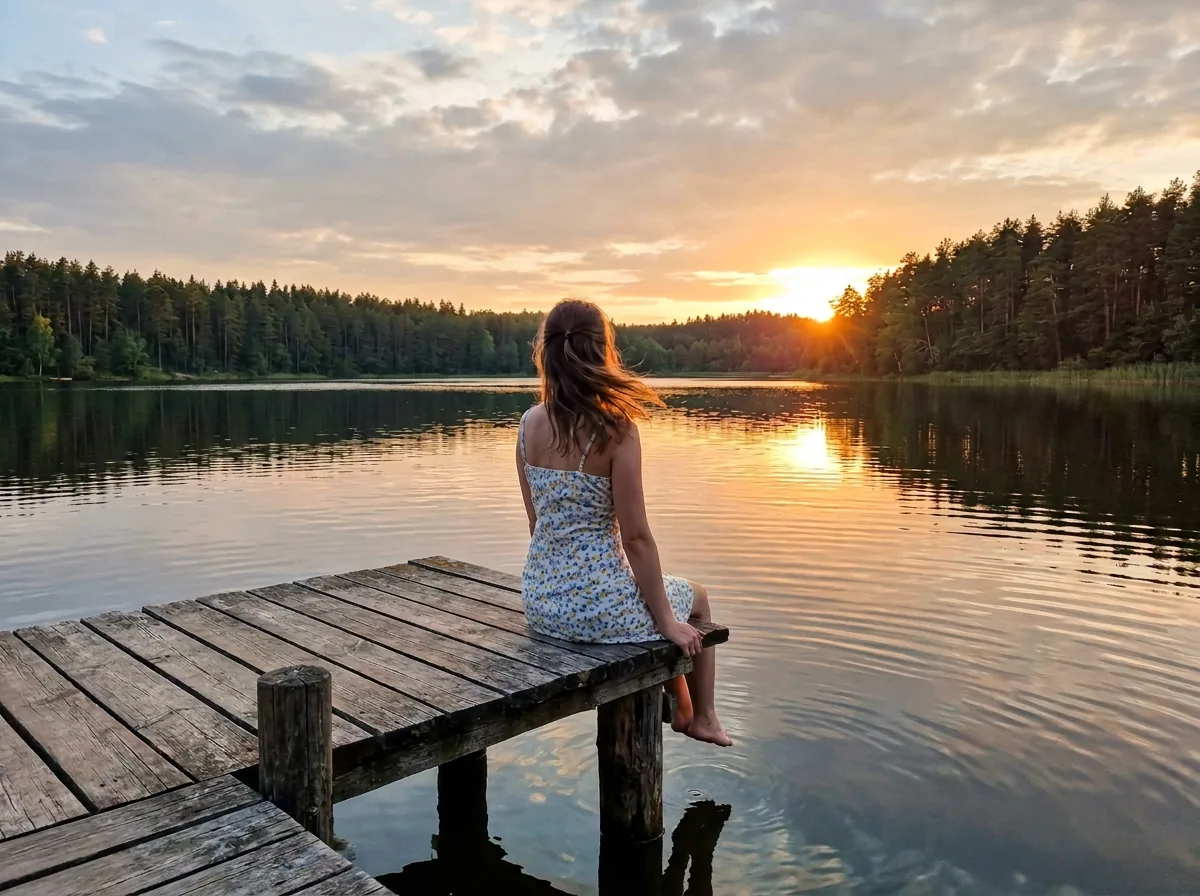
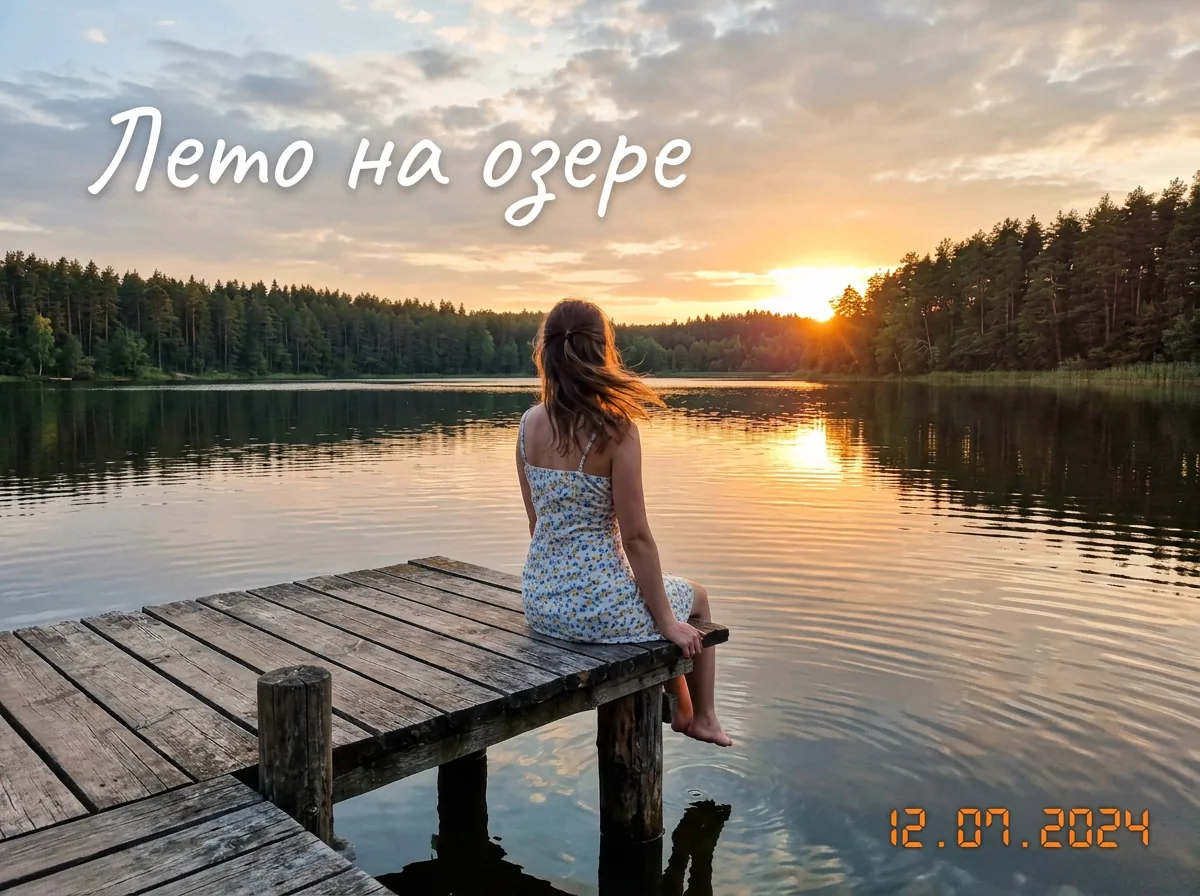
One request to Nano Banana 2: “remove the caption and the orange date in the corner, rebuild the sky and water there, change nothing else”. The framing, the person and the reflections stayed put. The source photo is AI-generated too; no real person is shown.
| Where the text sits | Difficulty |
|---|---|
| Sky, wall, plain background | Easy |
| Grass, sand, water | Easy |
| Fabric, packaging | Medium: name the folds and pattern to keep |
| Face or hands | Hard: likeness may suffer |
Ready requests
Copy, replace “…” with your text and send it with the photo.
3 prompts
Camera date stamp
Remove the orange date in the bottom-right corner of the photo and fill in the background so there is no patch. Change nothing else.
Caption over the photo
Remove the white caption “…” in the bottom-left corner; the background there should match its surroundings. Keep colours, sharpness and everything else as is.
Print on a T-shirt
Remove the print from the person’s T-shirt so it is plain, same colour. Keep the folds and light. Do not change the face.
2 prompts
Fix a word
Replace the text “…” with “…” in the same font, colour and size, in the same place. Change nothing else.
New price or date
Replace the price “…” with “…” in the same style as the original. Leave the background, product and other text alone.
Remove watermarks only from your own photos: someone else’s watermark marks their copyright. More: remove an object from a photo, remove text from a video, AI images.
Frequently asked questions
How do I remove text from a photo without blur?
Can I replace text instead of removing it?
Can I remove a watermark?
Try it yourself
Everything in this guide runs inside Twelver
One chat for text, images, video, music and voice — no separate services or subscriptions.
Open Twelver chat