Age a photo with AI: see yourself older — or younger
Upload a photo and name an age — “show me at 70”. The model adds grey hair, wrinkles and natural skin ageing while keeping the features, smile, clothes and background, so it is recognizably the same person. The reverse works too: “make me ten years younger”.
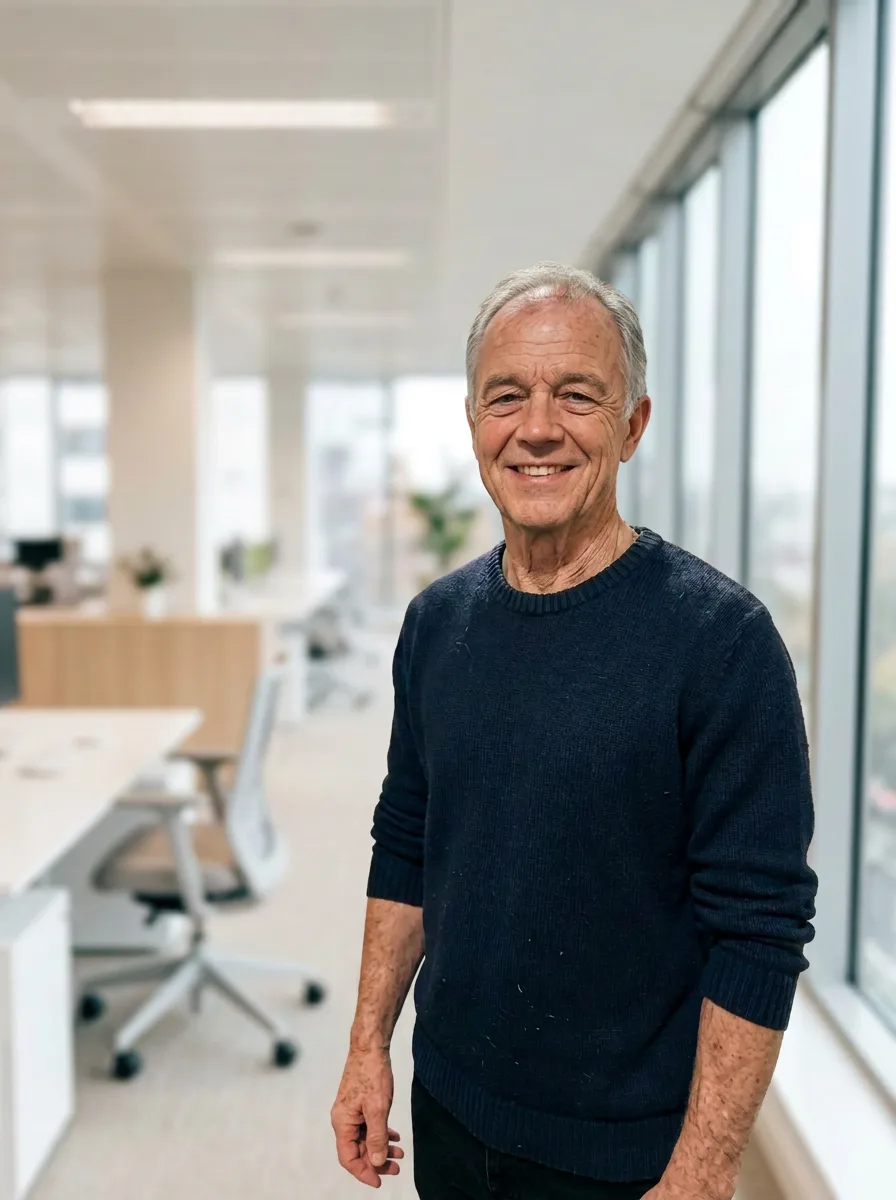

One Nano Banana 2 request: “show this man at 70: thinning grey hair, wrinkles, natural skin ageing; same features, smile, sweater, pose, background and light”. The man is AI-generated and does not exist.
- Use a front-facing, well-lit photo.
- Name a specific age and add “keep the features, clothes and background — recognizably the same person”.
- Make each age from the original photo.
One edit is about 67,000 tokens; the first visit gives 250,000.
It is a plausible picture, not a forecast: real ageing depends on genes, health and lifestyle. For an old-looking photograph rather than an older face, see photo styles; all chapters: image generation guide.
Frequently asked questions
How can I see what I will look like when I am old?
Can it make me look younger?
Try it yourself
Everything in this guide runs inside Twelver
One chat for text, images, video, music and voice — no separate services or subscriptions.
Open Twelver chat