Nano Banana: edit any photo
with a sentence
Google’s Gemini Nano Banana 2.1 (the Nano Banana family): write a prompt or upload a photo and edit it with words. Up to 4K, up to five references merged into one shot.
- One Twelver account — no separate Google billing
- Edit photos with words: swap the background, the outfit, the light
- Blends up to 5 references: face + pose + scene in one frame
Three ways to use Nano Banana
One subscription, three channels: the chat, your own AI client over MCP, and your code. Shared tokens — you only pay for what you generate.
Nano Banana right in the Twelver chat
The agent is already wired to this model: write a prompt or drop a photo and the result lands in the thread. Then just say “darker”, “drop the caption”, “same but vertical”.
- A ready-made agent — the model is already selected
- Refine with words instead of rewriting the prompt
- History, inputs and outputs all stay in the thread
Every model is included in one Twelver subscription — cheaper than paying each service separately. Start on free tokens, no card needed.
Nano Banana inside Claude, Cursor, LM Studio and other AI clients
A remote MCP server over HTTP: tick the tools you want, paste the connector URL, and the model shows up in your assistant. No npm, no local servers, OAuth sign-in.
No keys: paste the URL into your client and sign in — Claude, Cursor and any other OAuth client.
Open Claude → Settings → Connectors
Add custom connector → paste the URL
Sign in via OAuth — done
Build your server
Check the tools — URLs and config update themselves.
Connector URLs
Image Generation (Nano Banana)
https://twelver.ru/api/mcp/v1/image-generationNano Banana from your own app
Three calls: upload the source (if there is one), create the task, fetch the result. The request schema and the tool list are served by the API itself.
Key and config
Create a config and a key right here — the samples below fill in your real config id.
1. Set up config
2. Get API key
- 1
Upload a source fileoptional
Only needed when editing an existing photo or animating a frame. Skip it when generating from scratch.
curl -X POST https://twelver.ru/api/ai/<config-id>/v1/media/files \ -H "Authorization: Bearer $TWELVER_API_KEY" \ -F "file=@source.jpg" # → { "url": "https://twelver.ru/api/files/u/<id>/url?token=…", # "content_type": "image/jpeg" } - 2
Create the generation task
A prompt, the toolsets, and optionally the source file URLs. You get a task id back immediately.
curl -X POST https://twelver.ru/api/ai/<config-id>/v1/media/generations \ -H "Authorization: Bearer $TWELVER_API_KEY" \ -H "Content-Type: application/json" \ -d '{ "prompt": "A ripe banana on a neon-lit desk, cinematic product shot, 4K, shallow depth of field", "toolsets": ["image-generation"], "files": [{ "url": "<url from step 1>" }] }' # → 202 { "id": "<task-id>", "status": "running" } - 3
Retrieve the result
Poll the task until its status is completed — the output carries the text and the URLs of the finished files.
curl https://twelver.ru/api/ai/<config-id>/v1/media/generations/<task-id> \
  -H "Authorization: Bearer $TWELVER_API_KEY"

# → { "status": "completed",
#     "output": { "text": "…",
#                 "files": [{ "url": "…", "content_type": "image/png" }] } }
API schema
A separate endpoint returns the available toolsets with their tools and the exact request/response shape — the same contract the backend runs on.
curl https://twelver.ru/api/ai/<config-id>/v1/media/generations/schema \
  -H "Authorization: Bearer $TWELVER_API_KEY"

# → { "toolsets": [{ "id": "image-generation", "tools": [...] }, ...],
#     "request": {"prompt":"string","toolsets":["string"],"files":[{"url":"string","content_type":"string","description":"string"}]},
#     "response": { ... } }
API generations spend the same tokens as the chat — there is no separate plan to buy.
More about the API →What Nano Banana is best at
The model to reach for when you need to change an existing photo, not paint from scratch.
Editing with words
Upload a photo and describe the change: “remove the passers-by”, “make it golden hour”, “swap the jacket for a coat”. The rest of the frame stays put.
Multi-reference
Merge up to five images: the character from one, the pose from another, the scene from a third — the model composes them into a single shot.
Consistent characters
The same hero across scenes, angles and outfits — for comics, avatars, a series of product cards.
Fast and cheap
A Flash model: results in seconds at one of the lowest prices among top-tier models. Iterating costs almost nothing.
Specs
Exactly what you get when you call Nano Banana on Twelver.
- Model
- Gemini Nano Banana 2.1 (the Nano Banana family)
- Resolution
- 1K · 2K · 4K
- Aspect ratios
- 1:1, 16:9, 9:16, 4:3, 3:4, 3:2, 2:3 and panoramas up to 8:1
- Inputs
- Text, one photo, or 2–5 references at once
- Tools
- Text-to-image, image-to-image, multi-reference, image description
An example, start to finish
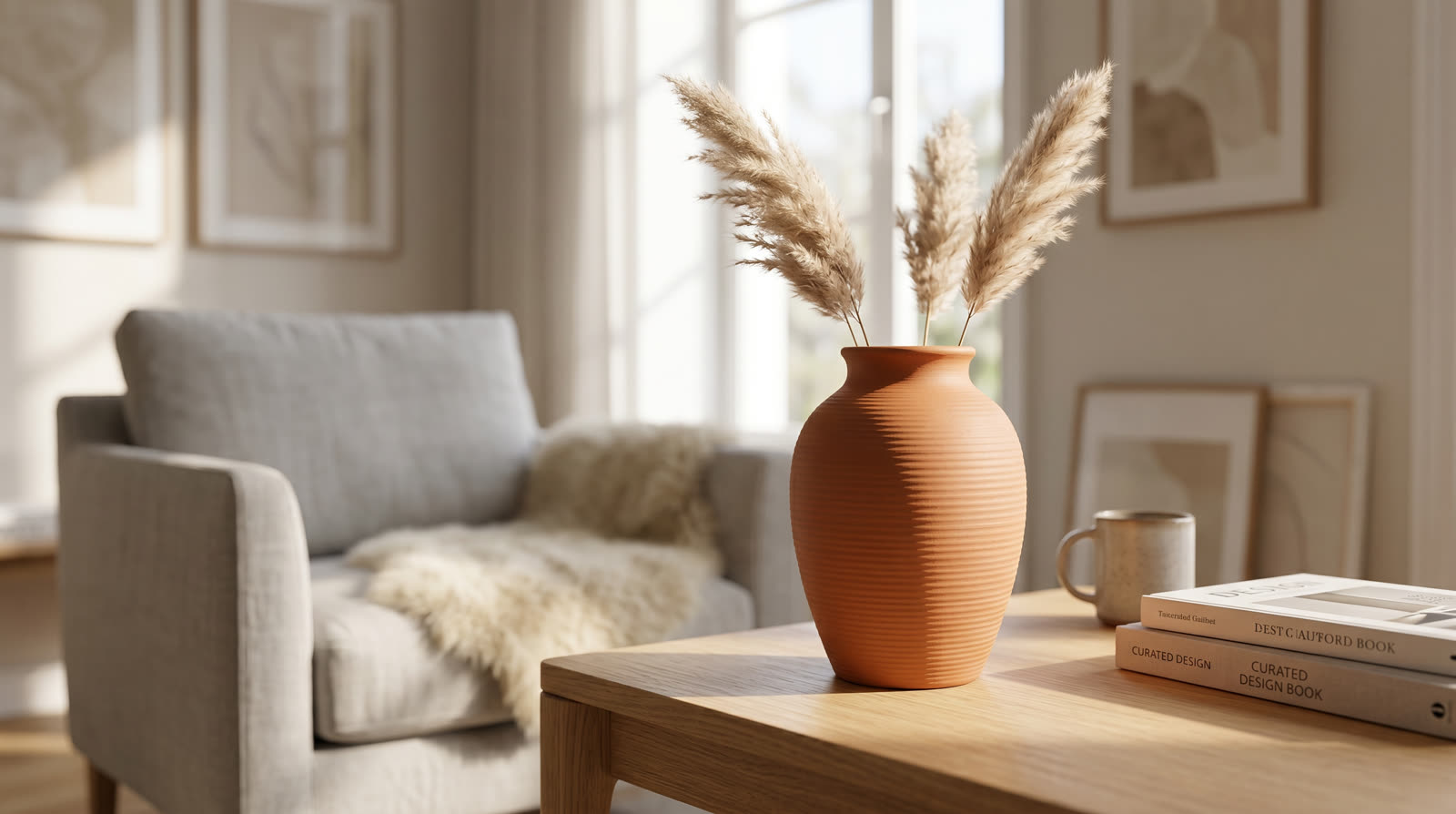
A real thread and the real output of this model — from the prompt shown on the card.
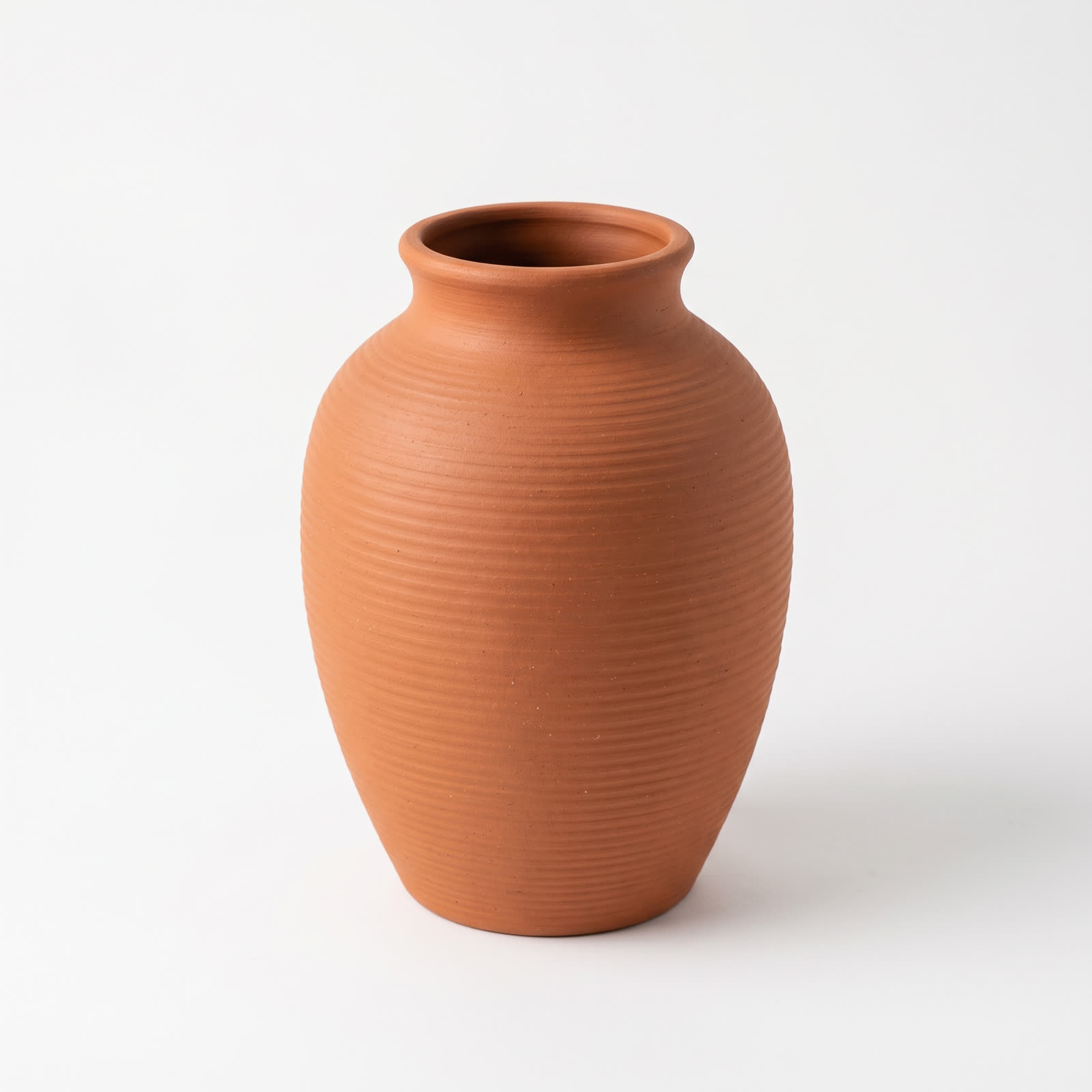
Here is the product shot on white. Put this exact vase — same shape, texture and colour — on an oak table in a sunlit Scandinavian living room, morning window light. Add a few dried pampas stems.
Done — the file is in the chat
Earn free tokens
Complete onboarding goals to top up your free balance.
Create an account
+150,000Sign up to save your chats, agents, and preferences across devices.
Run your first web search
+20,000Ask a question that needs fresh information — the AI will search the web and cite its sources.
Create your first document
+20,000Generate a structured document — article, report, plan — right from chat and keep editing it collaboratively.
Upload your first image
+20,000Drop an image into the chat and the AI can see it — ask questions about its contents or request edits.
Generate your first audio clip
+20,000Generate speech, a voice-over, or a sound effect from a text prompt.
Generate your first video
+20,000Pick a video-capable agent (or create one tailored for video), then describe the scene you want to bring to life.
Generate your first image
+20,000Ask the chat to generate an image — try different styles, aspect ratios, and detailed prompts for best results.
Create your first agent
+50,000Design a custom AI agent with its own persona, tools, and instructions.
Share something you made
+20,000Send a track, picture or clip you made to someone. They get a page with your work on it — no account needed to look.
Top up your balance
+100,000Top up your balance to unlock premium models and tools. Tokens stay available for as long as your subscription is active — they expire when the subscription ends.
Top up your balance twice
+100,000Your second paid top-up unlocks an extra bonus on top of the tokens you purchased.
Bring a friend who stays
+200,000When someone who arrived through your link makes their first purchase, you get tokens.
Bring three friends who stay
+500,000Three friends who stayed. This one is the milestone, and it pays like one.
Other image models
They all come with the same subscription — switch between them inside one chat.
FAQ
Make your first shot with Nano Banana
One subscription covers every model on Twelver — cheaper than paying each service separately. Start on free tokens, no card needed.